
12 min read
A kpop lightstick does 2 jobs: it shows which group you love, and it makes you one pixel in the concert light show. Almost every group with an official fandom releases one. A stadium full of matching lights is the most visible proof a fandom exists, and the agency can control every one of those lights from the stage.
If you’re buying your first, get it from an official store, register it in the group’s app before you walk into the venue, and keep spare batteries in your bag. The rest of this guide covers why those three habits matter.
Key takeaways
- Koreans call it an eungwonbong (응원봉), literally a “cheering stick”, which is why so many nicknames end in “bong”: Candybong, Carat Bong.
- Official lightsticks pair with a phone app over Bluetooth, and then a venue system takes over and changes each light’s color based on its seat.
- A fake can look almost identical but usually won’t join that concert sync, and the sync is the main reason to own one.
- Buy from the agency’s official shop, the tour merch booth or a retailer that names the agency as its source, and check the tour notice for which version syncs.
What is a kpop lightstick, and why does every group have one?
Physically, a lightstick is simple: a handle that holds the batteries, a plastic head shaped like the group’s symbol, LEDs inside, and a button that cycles through modes like solid color or blinking. Newer models add a Bluetooth chip, and that chip is what turns a souvenir into stage equipment.
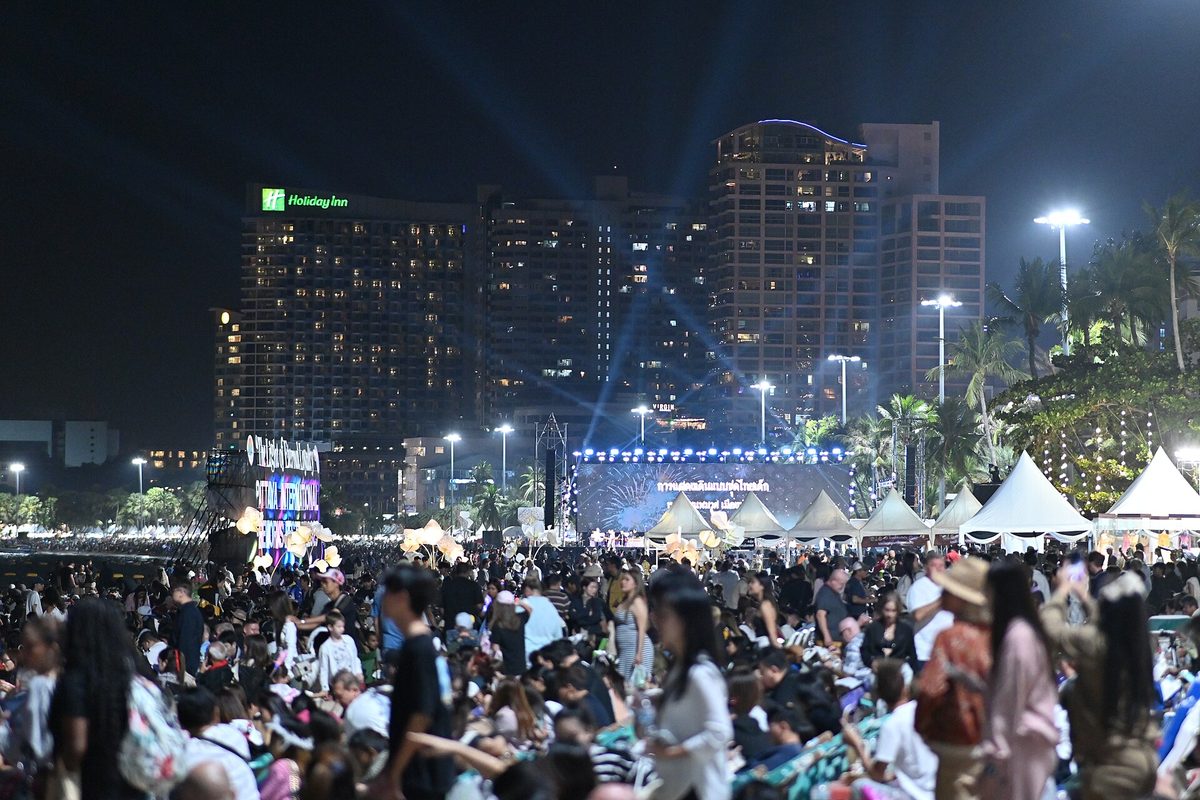
The reason every group has one runs deeper than merch. In K-pop, a fandom is an organized community with an official name and usually an official color, and the lightstick puts both in your hand. When fans fill an arena with one color, Korean fans call it an “ocean”, and it reads instantly on TV, in fancams and on social media. For a newer group, a well-lit ocean at a music show or year-end event tells everyone the fandom has arrived.
The timing tells you something too. Groups rarely launch a lightstick on debut day. It usually arrives once the fandom has a name and the group is heading into its first big concerts, as the next step after the long build-up described in our guide to how the K-pop trainee system works. Until then, fans make do with generic glow sticks in the group’s color.
Is a lightstick the same as a glow stick?
No. A glow stick is a single-use chemical light. A kpop lightstick is a reusable electronic device, built for one group, with a design and color you can’t mistake for another fandom’s. Most can also be controlled remotely at concerts, and a glow stick obviously can’t.
Where kpop lightsticks came from: balloons, colors and a crown
Before LEDs, fans waved balloons. In the first generation of idol groups in the late 1990s, each fandom claimed a color and filled concert halls with it. H.O.T. fans carried white balloons, Sechs Kies fans carried yellow, g.o.d fans used sky blue and Shinhwa fans went with orange. Rival fandoms guarded their colors closely, and that’s where the idea of an official fandom color comes from.
Balloons gave way to raincoats, then to cheap glow sticks, and then agencies started making their own branded lights. BIGBANG’s yellow crown-shaped lightstick is often credited with making the branded lightstick a standard part of a group’s identity. After that, a distinct shape became as important as the color. A fan two sections away should know your group from the silhouette of your light alone.
The biggest change came with wireless control. Once agencies could set the color of every light in a stadium from a control desk, the crowd stopped being only an audience and became part of the production. Every major group’s concert now plans for it.
5 famous kpop lightstick designs and what they mean
The best designs work at two distances. Close up, they’re collectibles with the group’s logo and details. From the stage, they’re a shape and a color the group can recognize in the dark. These five are among the most recognized designs in K-pop:
| Group | Lightstick name | What it looks like | Why fans love it |
|---|---|---|---|
| BIGBANG | Crown lightstick | A yellow crown on a stick | It’s the design most often credited with starting the official lightstick era, and the crown became the group’s symbol |
| BTS | ARMY Bomb (아미밤) | A clear round globe with the BTS logo inside, on a dark handle | The shape is easy to read in a stadium, and the name plays on the fandom name ARMY |
| BLACKPINK | Often called the hammer | A pink-and-black heart-shaped hammer | It mixes the group’s two colors and has a playful shape you can spot in any fancam |
| TWICE | Candybong (캔디봉) | A candy-shaped head in TWICE’s apricot and neon magenta | It’s cute and unmistakable, and it carries both official colors |
| SEVENTEEN | Carat Bong (캐럿봉) | A diamond-shaped head | It’s a nod to the fandom name CARAT, so the lightstick is an in-joke you can hold |
Most of these have been reissued over the years as new versions, often labeled Ver. 2, Ver. 3 and so on. The shape usually stays close to the original, but the electronics, battery type and app often change. That matters for sync, as the next section explains.
Why the “bong” names?
Bong (봉) means stick or rod in Korean. Fans add it to a fandom name or a design idea to make a nickname, which is how you get Candybong and Carat Bong. When you see a Korean fan post about their “bong”, they mean their lightstick.
How does kpop lightstick Bluetooth sync work at concerts?
The industry name is centralized control. Before the show, your lightstick links to the group’s official app over Bluetooth and learns where you’re sitting. During the show, the stick stops listening to your phone and follows a signal from the venue. The production team can then turn sections, rows or single seats different colors on cue.
That’s how a stadium shows a wave rolling around the bowl, a gradient that matches the song, the group’s logo picked out in the stands, or a wall of white for a ballad. Each light knows its seat, so the crowd works like a low-resolution screen.
How to sync your lightstick, step by step
- Check the tour notice. The agency usually posts which lightstick versions are supported and which app to use. Read it before you buy or pack.
- Put in fresh batteries. Many models take standard AA or AAA batteries, and some newer ones charge over USB. The box and manual tell you which.
- Install and update the official app. Turn on Bluetooth and allow the permissions the app asks for. On many phones that includes location access, which Bluetooth pairing needs.
- Pair the lightstick. Usually you hold the power button until the light flashes, then pick the stick in the app.
- Register your seat. Enter your section, row and seat number, or scan your ticket if the app supports it. Do this carefully, because a typo puts you in the wrong part of the light show.
- Leave it in concert mode. Once the show starts, the venue system takes over. Don’t keep pressing buttons, or you may knock it out of sync.
Why won’t my lightstick connect?
Start with the boring causes. Weak batteries are the most common, then an out-of-date app, then Bluetooth or location permissions switched off on the phone. If those are fine, check the version: an older model may not be supported on a new tour, and the notice will say so. Some venues have a help booth near the merch area where staff can check a stick that won’t pair. Look for it before you take your seat.
How fans actually use lightsticks, beyond the concert
Concerts are the main event, but lightsticks show up anywhere a fandom gathers. At music show recordings in Seoul, fans in the audience hold them up while the group performs, and those who can’t attend can still spot their ocean on the broadcast. At year-end ceremonies, which we cover in our K-pop award shows list, sections of the arena glow in different groups’ colors, so you can see which fandoms turned out.
Fan meetings and smaller showcases often use the lightstick for a single moment: everyone switches to one color when the group walks out, or for a fan chant. Back home, plenty of fans keep theirs on a shelf next to albums and photocards, turning it on for livestreams and watch parties.
Lightsticks have also moved beyond K-pop events. During the large street protests in Seoul in December 2024, crowds carried K-pop lightsticks in place of candles, and photos of the colorful lights were widely shared abroad. Whatever your view of the politics, the picture showed how ordinary the lightstick has become in Korea. It’s a personal object people bring along to big public moments.
Concert etiquette Korean fans follow
- Hold it at chest or shoulder height, not straight up above your head, so the person behind you can still see the stage.
- Don’t swing it near other people’s faces. The heads are hard plastic.
- Follow the color the show sets. Switching to your own color during a coordinated moment breaks the pattern for your whole section.
Official vs fake kpop lightstick: how to tell the difference
Fakes exist because the official ones sell out and the designs are easy to copy. A fake can look fine in a product photo, but it usually fails at the one thing you bought it for: it won’t sync at the concert, so you end up a dark spot, or a stuck color, in a lit-up section.
| What to check | Official lightstick | Common signs of a fake |
|---|---|---|
| Concert sync | Pairs with the group’s official app and follows venue control | Won’t appear in the app, or only offers basic manual colors |
| Packaging | Clean printing, the agency’s name, a manual, often an authenticity sticker or code | Blurry print, spelling mistakes, no manual, missing seal |
| Build and finish | Sharp logo, accurate official colors, solid battery compartment | Off colors, rough plastic seams, loose battery cover |
| Seller | Agency store, tour merch booth or a retailer that names the agency as its source | Marketplace listing with no source, ships from an unknown seller, priced far below every official shop |
| Version label | Clearly marked (for example Ver. 2 or Ver. 3) and listed on the agency’s notice | No version, or a version the agency never released |
When an agency uses authenticity stickers or codes, it usually explains how to check them in a notice on its official shop or fan platform. If a listing doesn’t show the sticker, ask the seller for a clear photo before you pay.

Where to buy an official kpop lightstick from abroad
Go to the source first. The safest places, roughly in order of confidence:
- The agency’s own online shop or the fan platform it uses. Many groups sell through Weverse Shop, and agencies such as SM, JYP and YG run their own official stores. Check the group’s official social accounts for links to the right shop.
- The tour merch booth. If you’re going to a show, buying at the venue guarantees it’s real, but booths often sell out and queues can be long. Many tours offer pre-orders with pickup at the venue, so check the tour notice.
- Licensed K-pop retailers. Large international K-pop shops often stock lightsticks. Stick to sellers that state they source directly from the agency.
- Second-hand, carefully. Fan-to-fan sales are common when a new version comes out. Ask for a short video of the stick pairing in the official app, plus photos of the box and any seal.
If you’re in Seoul, agency flagship stores and pop-up shops are a good bet. Street-side souvenir shops in tourist areas are more mixed. Some stock genuine items and some don’t, so check the box against the official product photos before paying.
Shipping, customs and batteries
Lightsticks usually ship without batteries. Import duties and fees depend on your country, so check before ordering from Korea. For current prices, stock and shipping regions, go to the official shop’s own product page. Prices and availability change with every restock and version.
Common lightstick mistakes (and how to avoid them)
- Buying the wrong version. A new tour may support only recent versions. Read the notice before you spend money on an older stick.
- Leaving batteries in for months. Alkaline batteries can leak and ruin the contacts. Take them out after the concert.
- Over-decorating. Fans love stickers and charms, but don’t cover the button, the battery cover or the parts of the head that let the light through.
- Flying without checking rules. Take the batteries out so it can’t switch on in your bag, and check your airline’s rules for spare batteries, especially lithium ones.
- Pairing at the last second. See the callout above. Do it before you enter.
- Forgetting a backup. Pack spare batteries. A stick that dies halfway through the encore is a common post-concert complaint.
If you’re interested in the people on the other side of the ocean of lights, our guide on how to become a K-pop idol covers the audition routes that lead to that stage.
FAQ
Do I need a lightstick to go to a K-pop concert?
No. Nobody will stop you at the door without one, and you can enjoy the show with empty hands. You’ll miss being part of the coordinated light show, though, and in a fully lit stadium that’s a big part of the experience. Some fans share or borrow one for their first concert.
Can I bring another group’s lightstick to a concert?
Generally it’s seen as poor etiquette at a solo concert, because it breaks the group’s color ocean and won’t sync with the show. At festivals and multi-group events, you’ll see many different lightsticks, and that’s normal. Some tours also publish rules on what you can bring, so check the notice.
How long do lightstick batteries last?
It depends on the model, the battery type and how much the show uses bright or flashing effects. The manual is the best guide. The safe habit is fresh batteries for every concert and a spare set in your bag.
Will an old version of a lightstick work on a new tour?
Sometimes, but don’t assume it will. Agencies list the supported versions for each tour’s centralized control. Unsupported versions usually still light up in manual mode, but they won’t follow the show.
Can I take a kpop lightstick on a plane?
Fans travel with them all the time, usually in carry-on luggage with the batteries removed. Rules for spare batteries, especially lithium ones, vary by airline and country, so check with your airline before you fly.
How do I know if a lightstick is official?
Buy from the agency’s shop, the tour booth or a retailer that names the agency as its source. Check for clean packaging, a manual, the correct version label and any authenticity sticker the agency uses. The final test is whether it pairs with the group’s official app.
What to check before your next K-pop concert
Start with the tour notice on the agency’s official channels. It tells you which lightstick versions sync, which app to use and whether merch pre-orders are open. Buy your lightstick early, because popular versions sell out once a tour is announced. Then pair it and register your seat before concert day.
Tours are announced year-round. According to Reuters, Stray Kids will take their “RUN IT” tour to North America and Europe in 2027. If that’s your show, follow JYP’s official channels for the lightstick and sync notice when it comes out. For any other group, the routine is the same: find the official notice, get a genuine stick and set it up before you leave home.
Related reading






Sources k-korea.blog · news.google.com
Prices, opening hours and availability change. Check the official page before you buy or travel.